License and Pricing
The Profile → Company profile → License and pricing tab consists of two sections:
- Licenses and connected tariff plans.
- Available channels and tariffs.
Licenses and Connected Tariff Plans
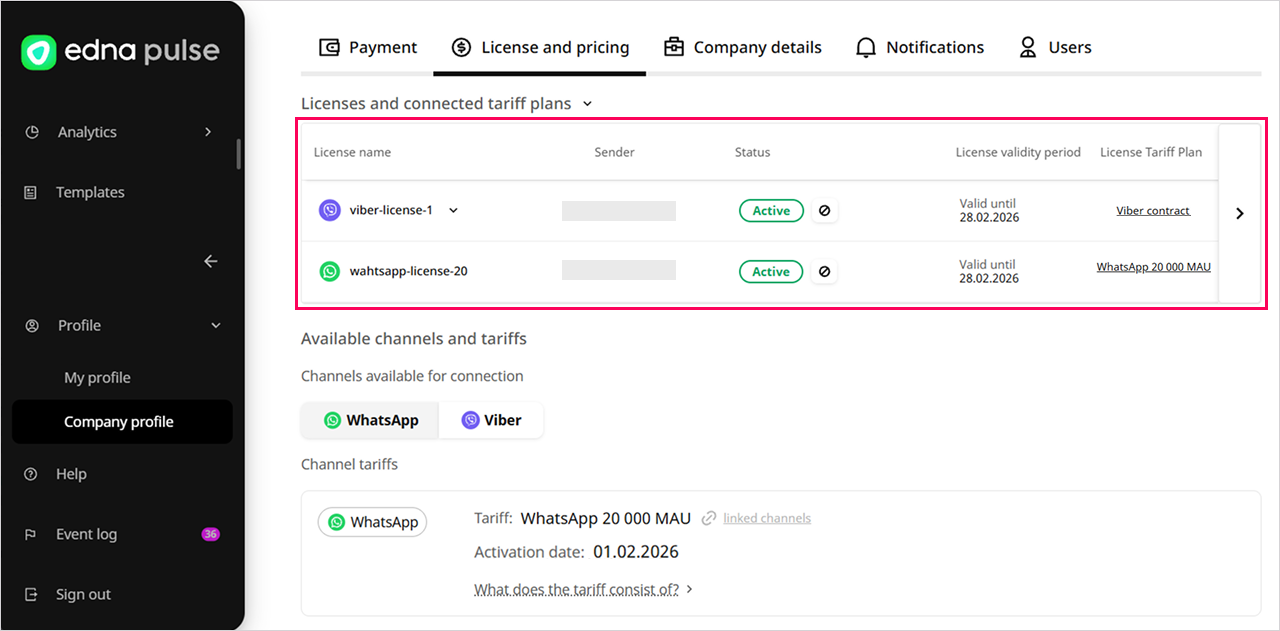
This is a table showing all your licenses. It includes license names, sender numbers, statuses, expiry dates and the tariff plans at which the licenses operate.
What is the difference between MAU and AMAU?
- MAU (Monthly Active Users) — the number of unique user numbers with which there was communication in the current month: incoming or outgoing messages.
- AMAU (Average Monthly Active Users) — the number of additional MAUs beyond the tarif plan.
How to view tariff plan and pricing information
-
Go to the Profile → Company profile → License and pricing tab.
-
In the Licenses and connected tariff plans section, click on the desired tariff plan in the License tariff plan column.
-
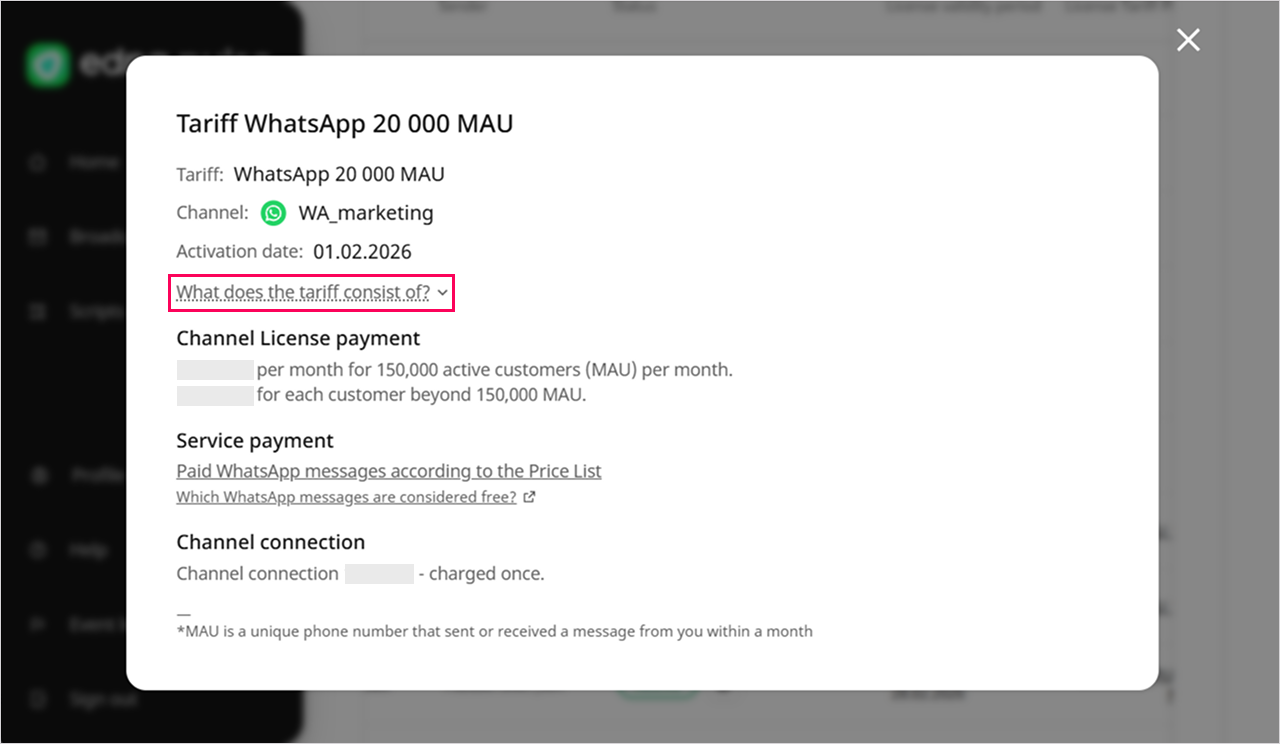
Review the card, which specifies:
- tariff name;
- channel;
- license activation date;
- terms, prices, and billing procedure.
-
Click What does the tariff consist of to open the plan components and prices.
-
In the Service payment section, check the cost of different types of messages depending on the channel:
-
WhatsAppClick Paid WhatsApp messages according to the price list.tip
Free messages are also available for WhatsApp.
WhatsApp Business API Template Messages -
ViberClick Paid Viber messages according to the price List.
-
The cost of messages is deducted from the balance in the currency of your edna Pulse account.
How to Top Up Your Account BalanceAvailable Channels and Tariffs
List of channels available for connection and tariff plans that you can choose when registering these channels in your edna Pulse account.
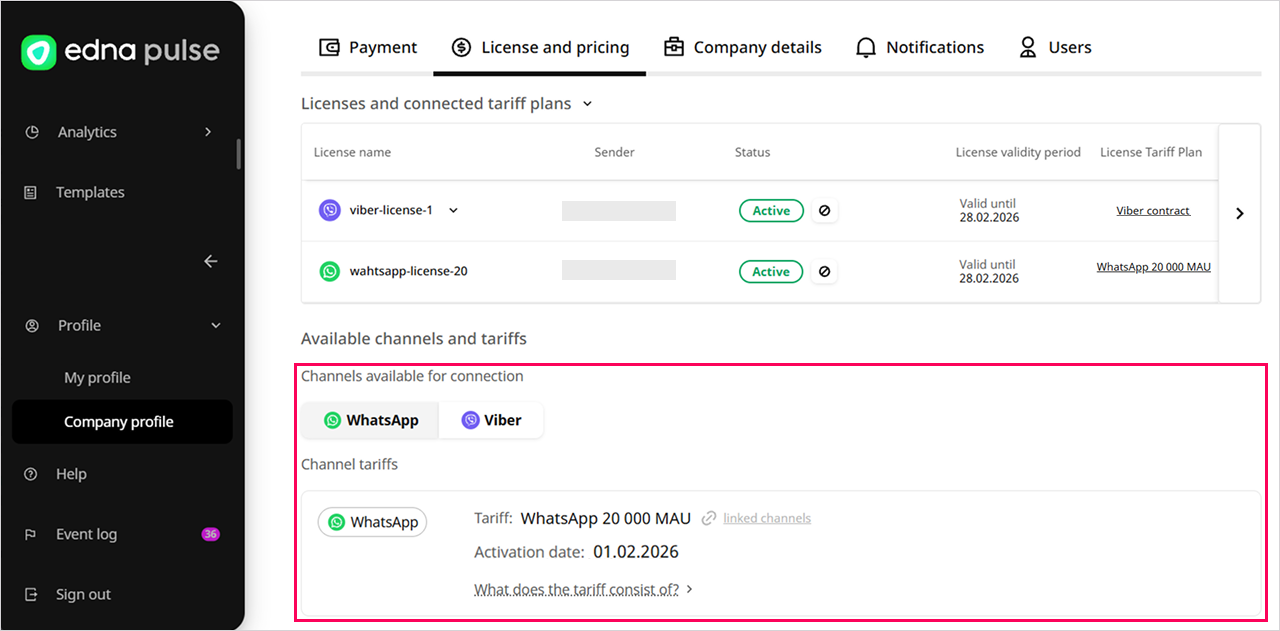
Click Linked channels to open the list of channels that are included in this tariff plan.
If the channel is available but not connected, you can add it in the Channels section and send it for registration to receive pricing terms from your edna personal manager.
edna Pulse ChannelsTariff Plan Components
Channel License Payment
- WhatsAppMonthly fixed fee for the number of active users (MAU).
- WhatsAppAdditional fee for users exceeding the tariff plan (AMAU).
Service Payment
Prices for services are available in the tariff plan cards in your edna Pulse account and on the edna website.
- WhatsAppFee for delivering WhatsApp template messages at set tariff plan.
 edna.io
 - ViberMinimum monthly payment for messages.
- ViberFee for delivered Viber messages at set tariff plan.edna.io
Channel Connection
- WhatsAppOne-time fee for connecting the WhatsApp channel on the day the license is activated.